
Spot Features
Everything Spot can do today.
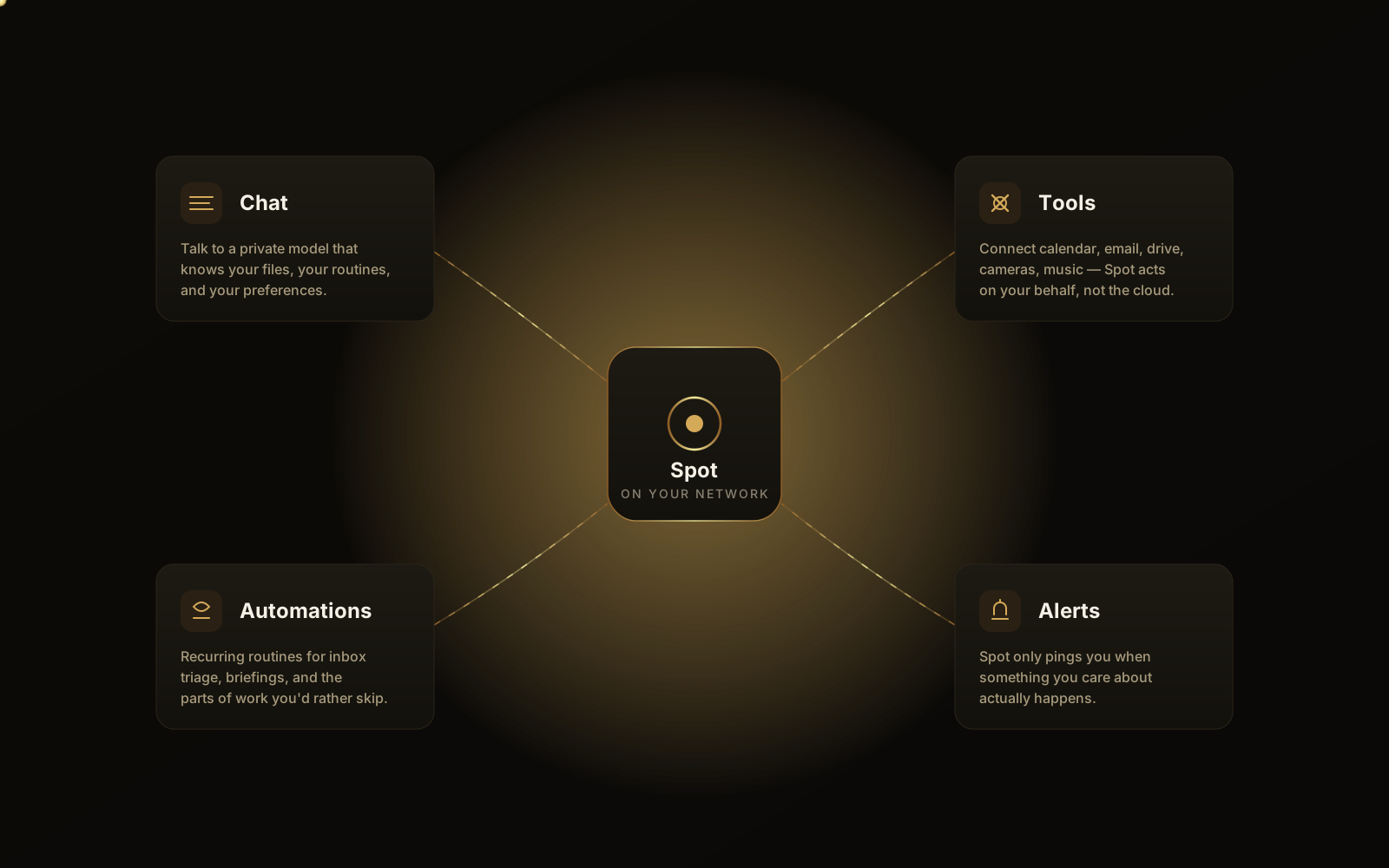
Spot is a full agent platform — chat, vision, voice, files, automations, integrations, alerts, and a permissioned action layer — packaged into a device you own. Below is the current capability set. The roadmap covers what's coming next.
Self-improvement
Spot gets better the more you use it.
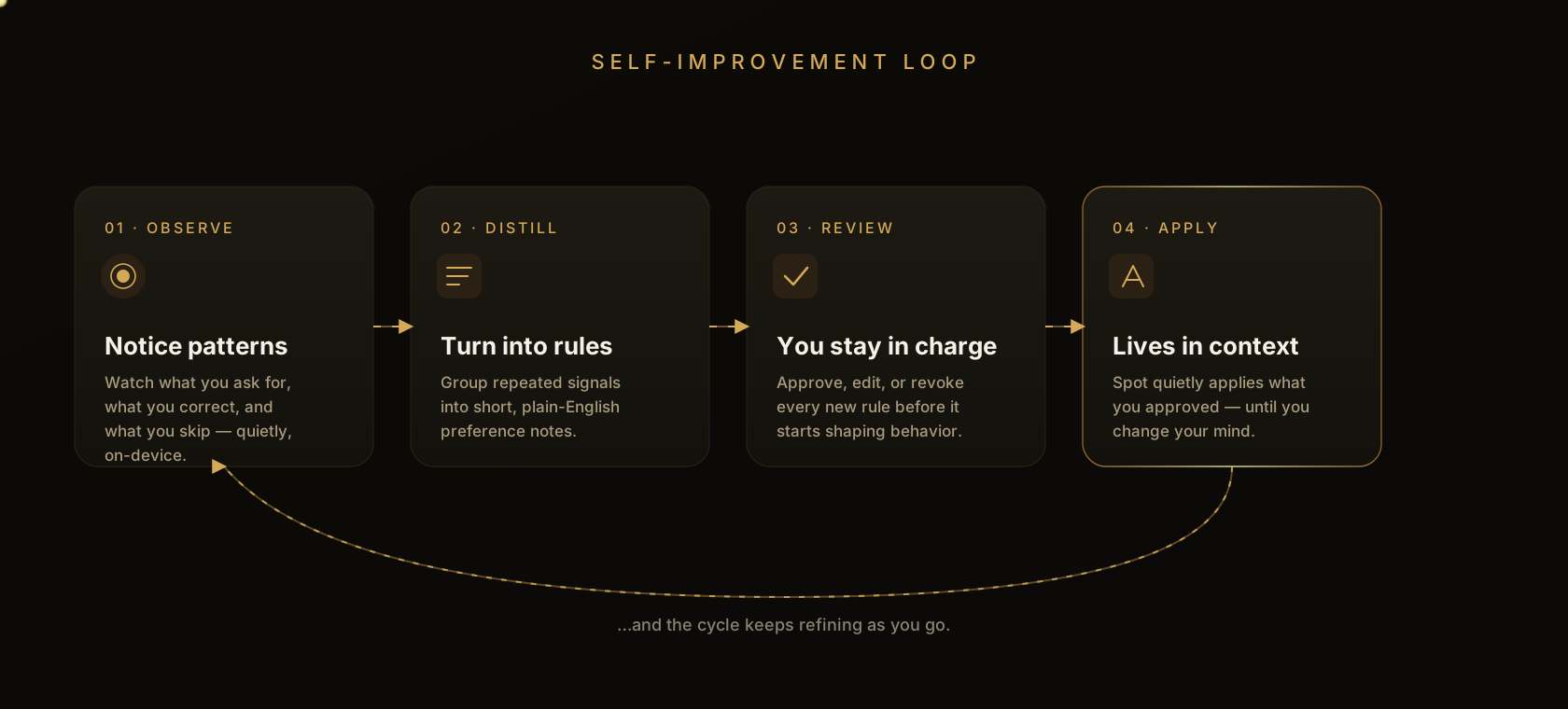
Spot quietly learns your preferences, schedules, and the way you like things done — then applies what it learns the next time you ask. Everything it learns stays on your device and stays under your control.
Learns from how you talk to it
Spot picks up preferences (“never play music after 10pm”), facts (“the kids’ school district is X”), and corrections (“I meant the kitchen light”) and remembers them for next time.
Notices routines
Time-, event-, and sequence-based patterns (“weeknight wind-down”, “morning routine”) are detected and surfaced as suggestions you can accept, edit, or ignore.
Improves with feedback
Thumbs-up, thumbs-down, edits, and undo all teach Spot what good looks like for you. Implicit signals — like ignoring a suggestion — count too.
You stay in charge
Browse and prune what Spot has learned in the mobile app or the web app. Revoke any learned item from chat and Spot will stop using it on the next turn.
Per-person memory
Each member of the household or office has their own learning profile, so your preferences don't leak into someone else's answers.
Stays on your device
Learning happens locally. What Spot remembers about you isn't shipped off to train someone else's model.
Models
A whole brain, on the device.
Spot is powered by a brain of models running locally on the device. The right model is auto-selected for your device tier — no third-party accounts or API keys are required.
Chat & reasoning
A language model from Spot's brain handles chat, reasoning, and tool use, sized to your device tier.
Vision
On-device vision lets Spot describe images and live cameras — all reasoned about locally, on the box.
Speech
On-device speech-to-text and text-to-speech with wake word and voice activity detection.
Search
Semantic search over your files and chats, indexed on the device. Your text never leaves the device to be indexed.
Multilingual
Spot supports major languages out of the box. Specific language coverage depends on the model selected for your tier.
No vendor lock-in
Because Spot's models run locally, you are not tied to a third-party AI provider — and your prompts are not training someone else's model.
Conversation
Chat with Spot.
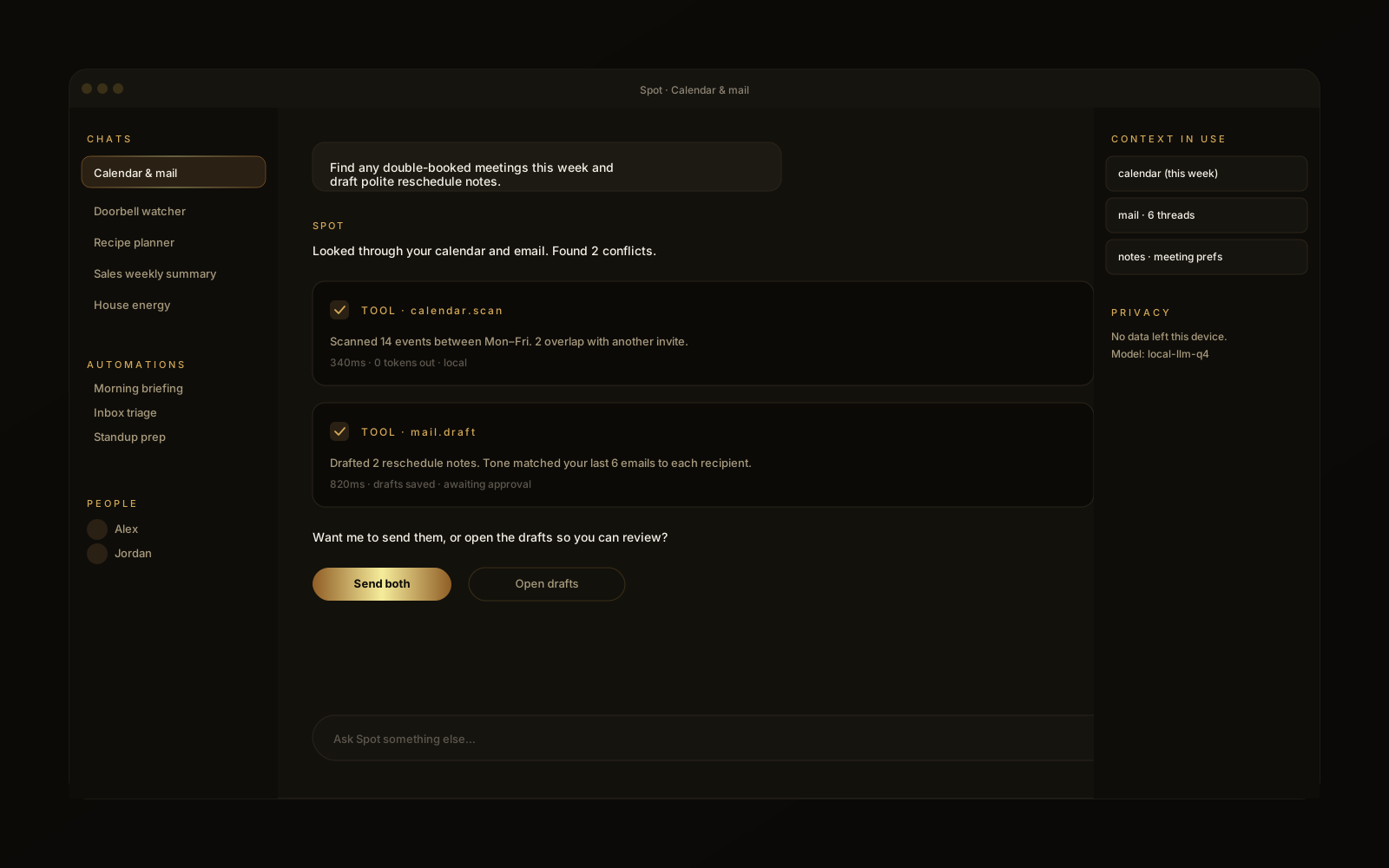
Streaming, agentic conversation that remembers context across sessions and can call tools to act in the real world.
Multi-turn chat
Streaming, agentic conversation with full session history kept on the device.
- Token-by-token streaming responses.
- Resume any session from any client.
Tool use
The agent can call dozens of built-in tools — files, devices, search, calendars — to actually do things.
Tools
Add tools to give Spot new capabilities without waiting for a release.
Memory & history
Long-running memory across sessions, with on-device search over what you've discussed.
Multimodal
See, hear, speak.
Spot is fluent in voice, image, and live camera input — locally, on the device.
Vision
Spot can see images and live cameras. Ask “what do you see?” or have it watch for something specific.
- On-device image and camera understanding.
- USB camera support (e.g. Logitech Brio).
- Live video streaming to the apps.
Voice in & out
Wake word, voice activity detection, and natural-sounding text-to-speech — all on-device.
Hands-free mode
Push-to-talk on mobile and desktop, with a dedicated voice mode for ambient interaction.
Multilingual
Conversational support in major languages, depending on the model you select.
Files & knowledge
Make sense of your stuff.
Connect a folder, calendar, or knowledge base. Spot indexes it on the device so it can quote, summarize, and search without uploading anything.
Local file access
Permissioned access to a folder you choose, so Spot can answer questions about real documents.
Semantic search
Search files and chats by meaning, not just by keyword — all indexed locally on the device.
Document Q&A
Answer questions, summarize, and quote sources from PDFs, markdown, code, and more.
Coding
Build software on hardware you own.
Because Spot runs the model, the sandbox, and the runtime locally, coding works differently than it does with a metered cloud service. Let an agent build for hours without watching a token counter, run untrusted code in an on-device sandbox, and even self-host the apps you build — all without your source leaving the building.
Build overnight, no meter running
Kick off a large project and let Spot work for hours — or all night. The compute is yours, so there's no per-token billing and no usage dashboard to babysit.
- No token metering or surprise bills.
- Long, autonomous agent runs with nothing to monitor.
On-device sandboxes
The agent runs generated code in sandboxed environments that live entirely on the device, so it can execute, test, and iterate safely without ever reaching out to a cloud runner.
Self-host what you build
Ship the app you just built straight to the same device — host it locally and use it on your network without renting a server or exposing it to the public internet.
Unlimited iteration
Refactor, re-run, and regenerate as much as you want. The only limit is the device's own compute — not a quota, rate limit, or credit balance.
Your source stays private
Code, indexes, and build artifacts never leave the building. Your IP isn't uploaded to a third-party model or logged in someone else's cloud.
Works offline
The model, tools, and runtime are all local, so you can keep building when the internet is down or you're off the grid entirely.
Home & integrations
Connected home and office.
Spot speaks the protocols your existing devices and services already use. See the full integration matrix below.
Smart home control
Works with the protocols and bridges your existing home already uses, including Home Assistant and IP cameras.
Cameras
Capture frames, stream live video, and run vision prompts on connected cameras.
Automations
Time, event, or context-triggered routines that fire when the conditions you set are met.
Calendar integration
Read your calendars, propose events, and surface what's next.
Supported integrations
- Lights, switches, plugs, and sensors
- Home Assistant
- IP cameras
- Calendars
- Webhooks (in / out)
- Custom integrations
See the roadmap for what's next.
Agent platform
An agent — not just a chatbot.
Tools, tools, scheduling, alerts, and multi-user permissions — Spot is built as an agent platform from the ground up.
Goal-directed agent
Spot reasons, calls tools, observes results, and decides whether to act or ask for confirmation.
Confidence × risk gating
Auto-execute, propose, or always-confirm — based on how confident the agent is and how risky the action is.
Notifications & alerts
Push messages from Spot when something needs your attention, scoped to the right user.
Multi-user & roles
Each member of the household or team gets their own identity, history, and permissions.
Privacy & sovereignty
Local by default. Cloud only when you opt in.
Spot was designed around the assumption that your prompts and files shouldn't leave the building. Here's how that actually works.
On-device by default
Models, embeddings, file indexes, and conversation history live on the Spot device. The cloud relay does not have access to your prompts.
Audit trail
Every tool call, action, and notification is logged so you can review what the agent did and revoke a permission if needed.
Identity
Each device has a unique credential bound to your account. Other clients pair with the device through that credential — not a shared password.
Permissioned actions
Tool calls, automations, and integrations only run when they have been granted permission for the user, room, or task in question.
Extensibility
Built for adding new things.
Spot is designed so capabilities can be added without waiting on us — see the roadmap for what is coming next.
Tools
Bundles of prompts and tools that give Spot new capabilities for your home or business. Tools can be installed and removed without losing your data.
Integrations
Connect Spot to the home, office, and productivity tools you already use. The list grows quickly — see the roadmap.
Fleet Manager (coming soon)
An enterprise companion (see Apps → Fleet Manager) for organizations running multiple Spots. Single-device owners manage everything they need from the consumer apps today.
Marketplace
A marketplace for tools, integrations, and add-ons is coming alongside hardware launch.
At a glance